S3 Part II
S3 Rules and Policies🔗

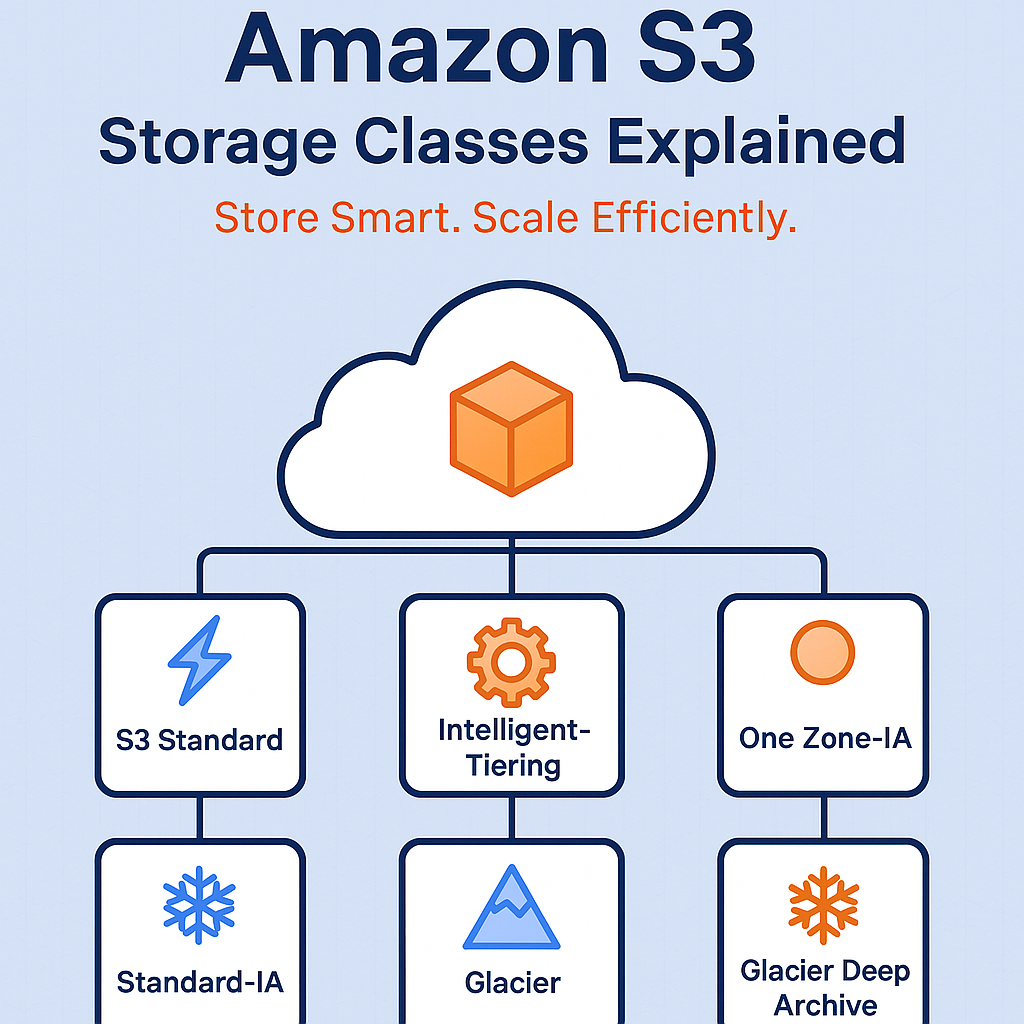
S3 Storage Classes🔗
Amazon Amazon S3 provides different storage classes so you can balance cost, availability, and access frequency. Each class is designed for a different data access pattern.
Below are the main S3 Storage Classes used in data engineering and cloud architectures.
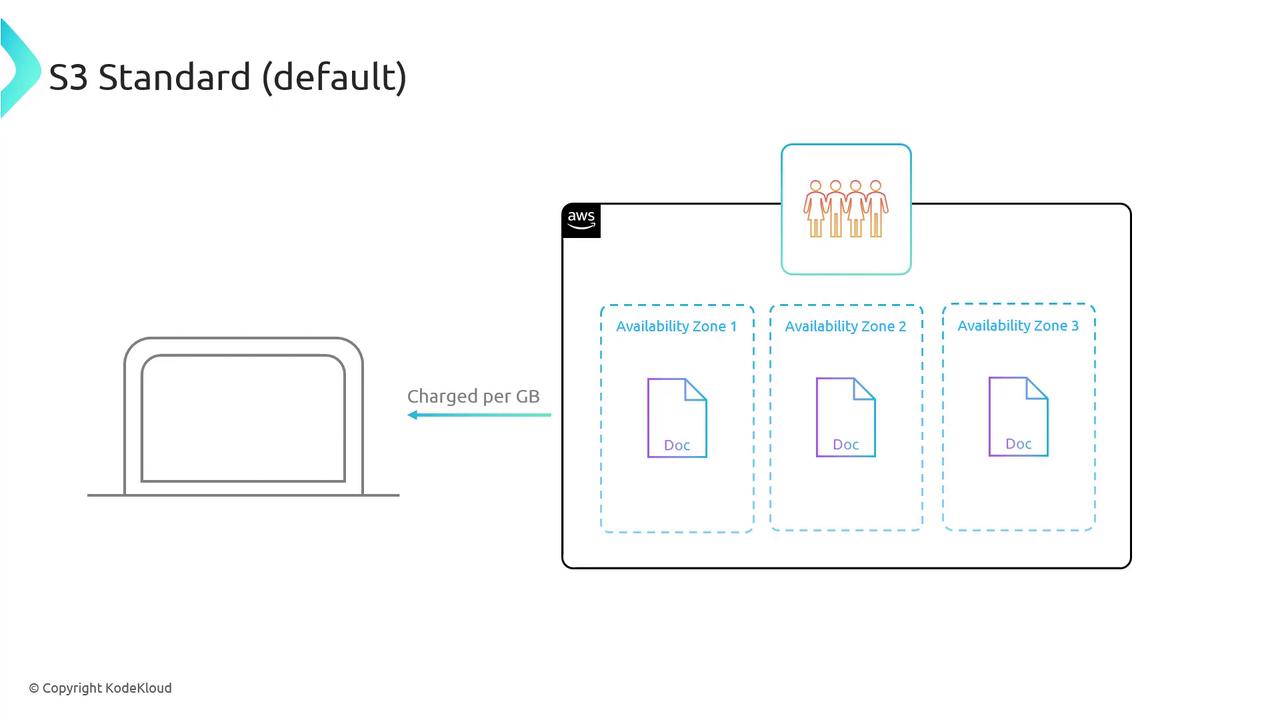
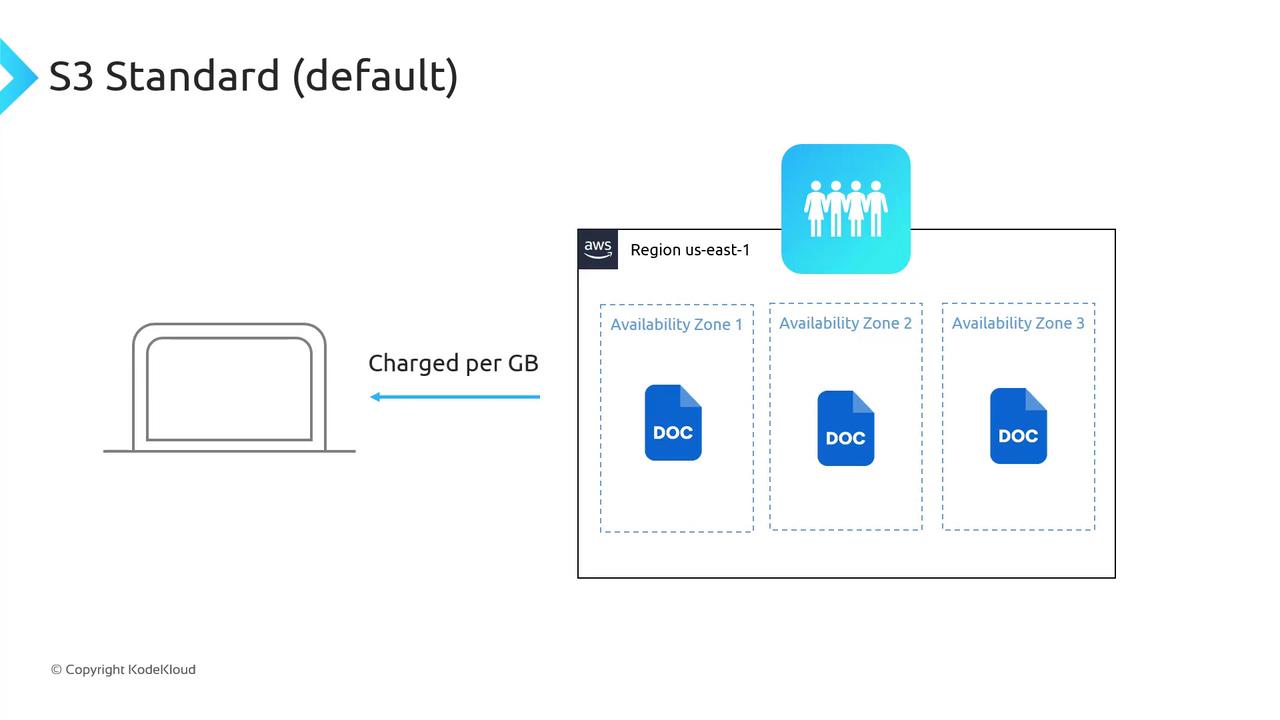
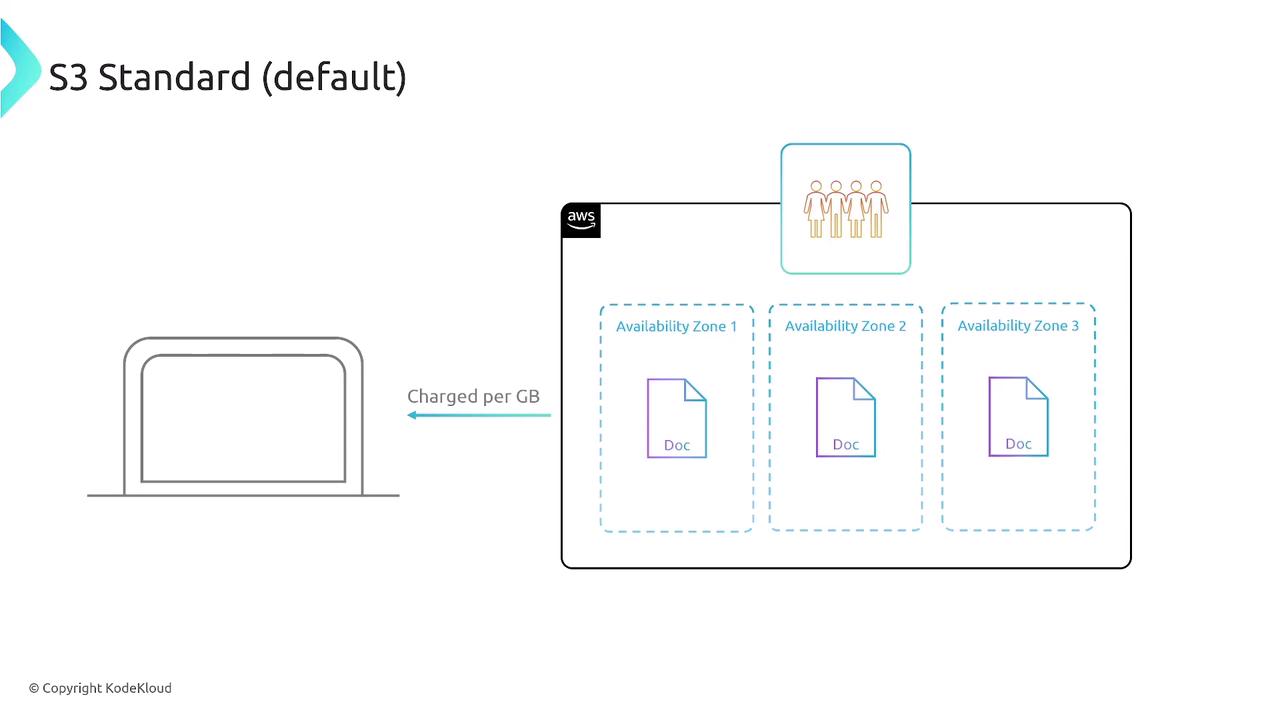
1. S3 Standard🔗

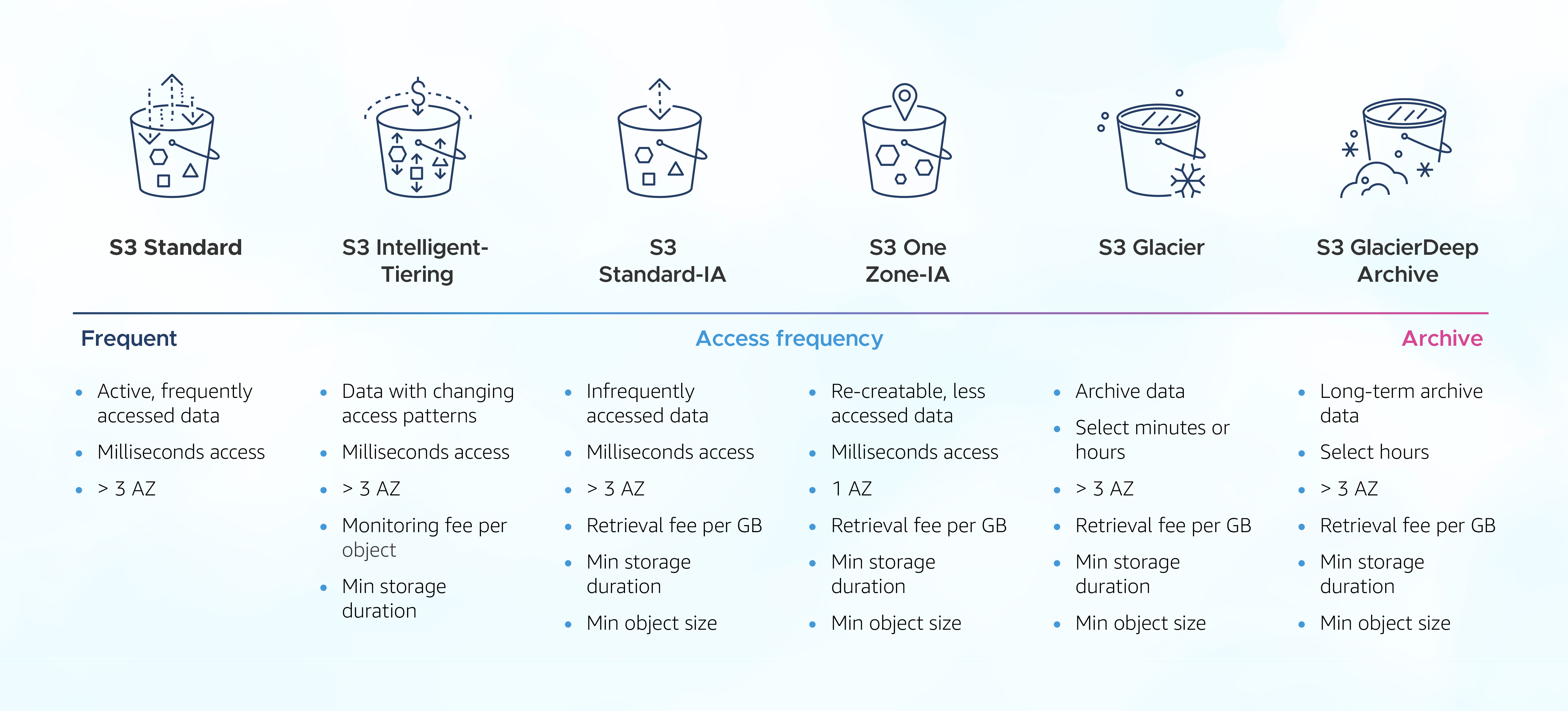
Best for: Frequently accessed data.
Examples
- Data lakes
- Websites
- Streaming data
- Mobile apps
- Analytics datasets
Key Features
- 99.99% availability
- 11 9’s durability (99.999999999%)
- Stored across multiple Availability Zones
- Low latency and high throughput
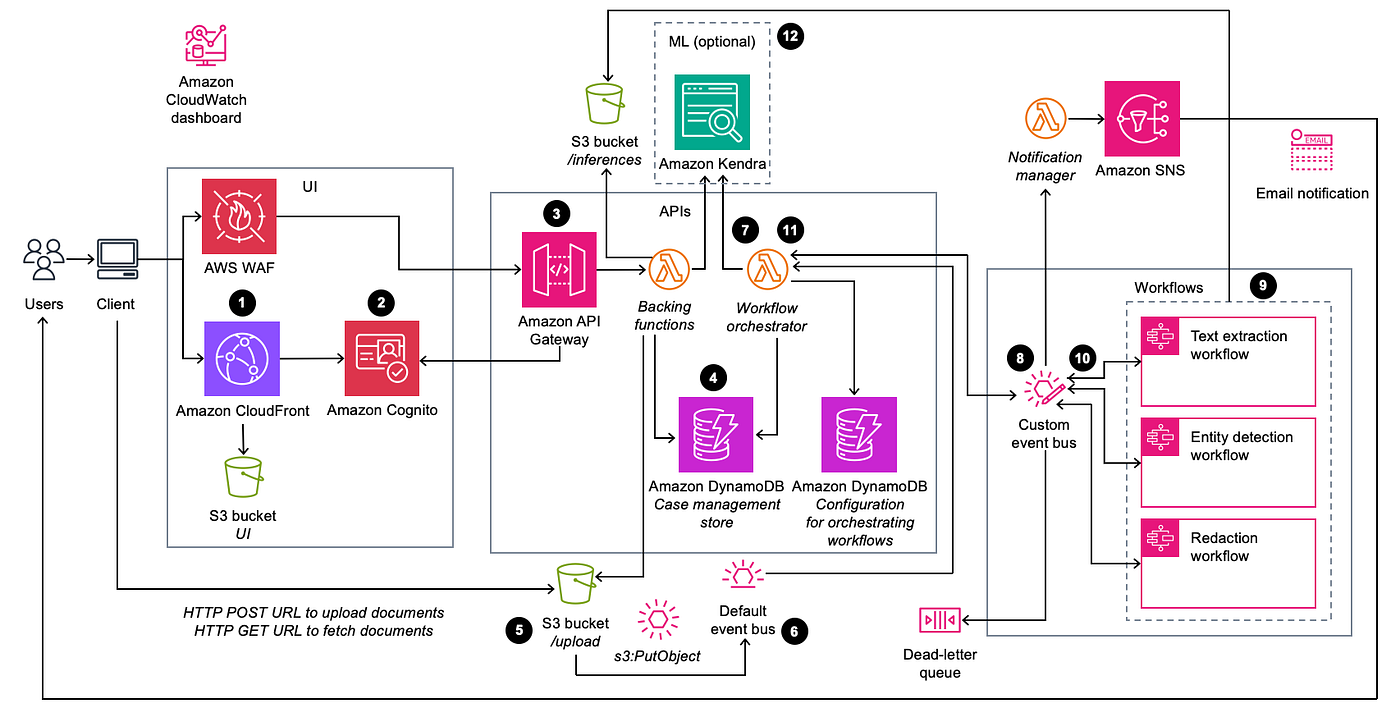
Example (your use case): Streaming data from Amazon Kinesis → AWS Lambda → S3 Standard for real-time analytics.
2. S3 Intelligent-Tiering🔗
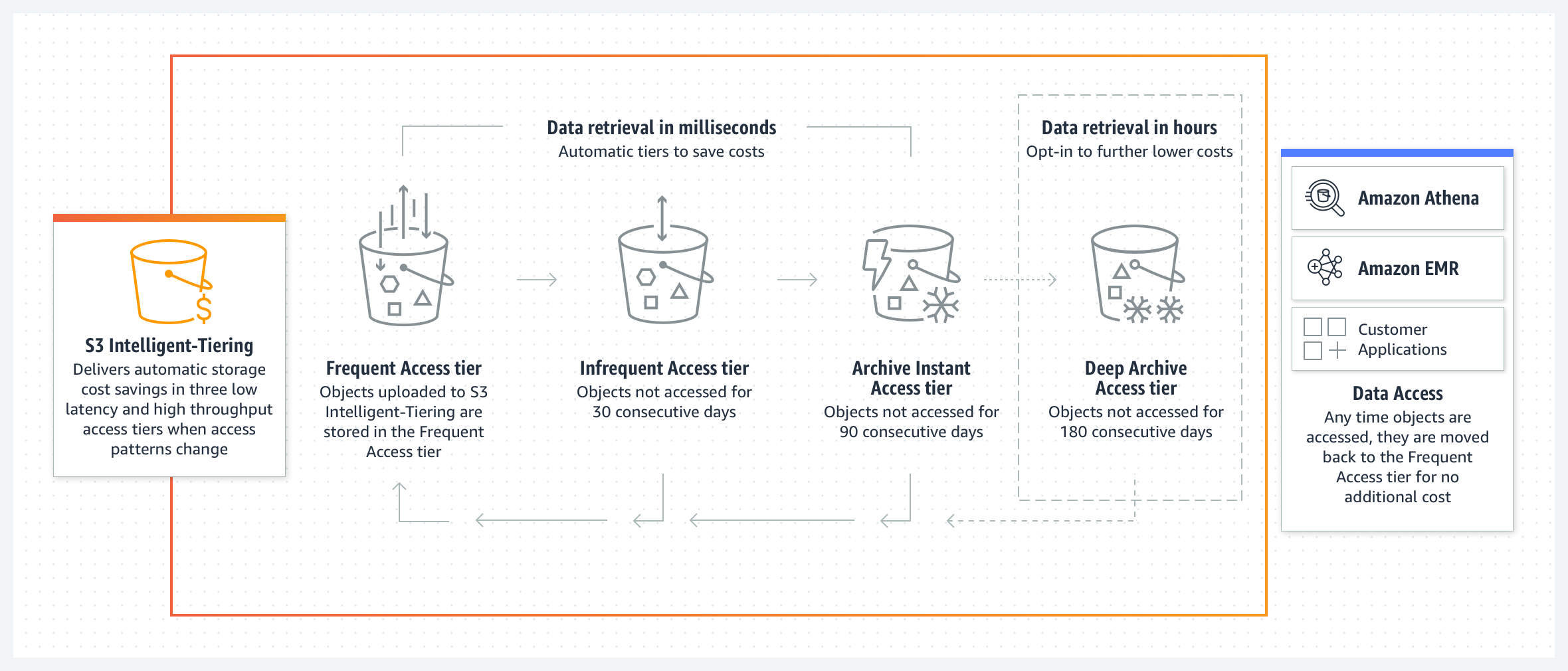
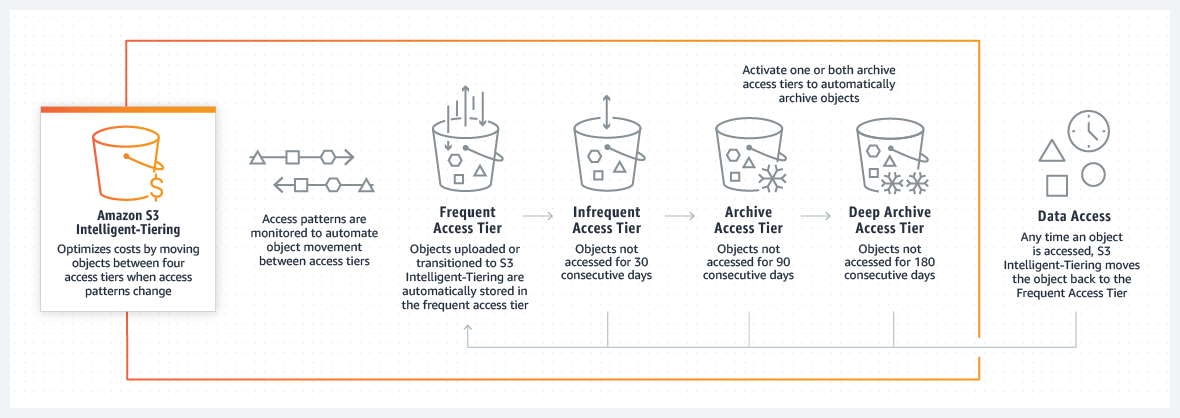

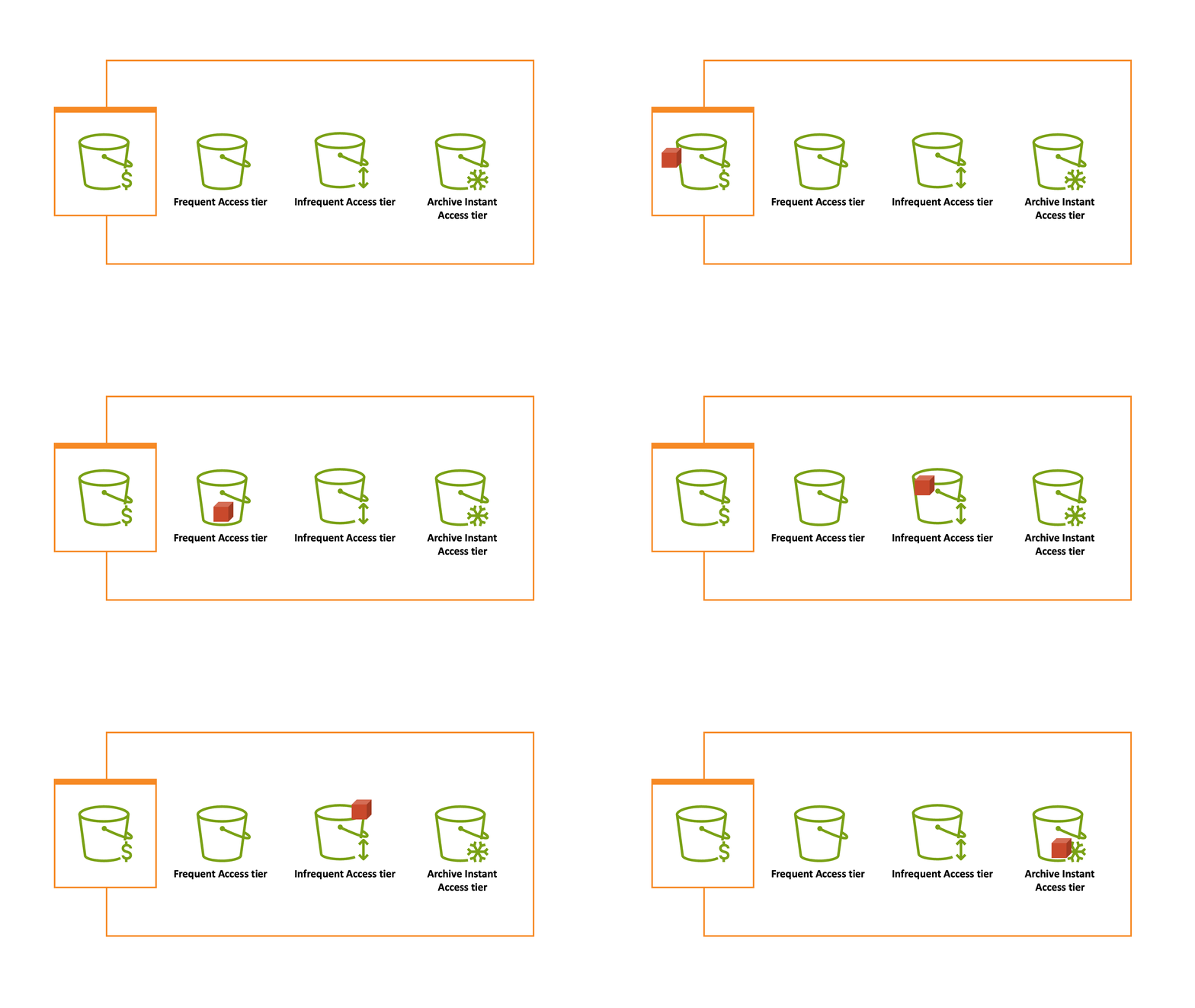
Best for: Data with unknown or changing access patterns.
Key Features
-
Automatically moves data between tiers:
-
Frequent Access
- Infrequent Access
- Archive Instant
- Archive
- Deep Archive
- Small monitoring fee
- No retrieval charges for frequent tiers
Example Log files where you don’t know how often they will be accessed.
3. S3 Standard-IA (Infrequent Access)🔗
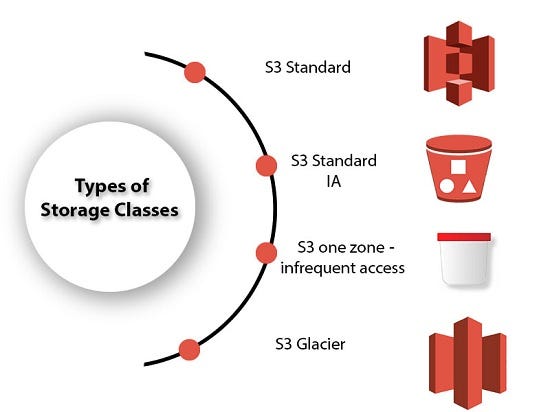
Best for: Data accessed occasionally but requires fast access.
Examples
- Backups
- Disaster recovery
- Older analytics data
Features
- Lower storage cost than Standard
- Retrieval fee when accessed
- Minimum storage duration: 30 days
4. S3 One Zone-IA🔗

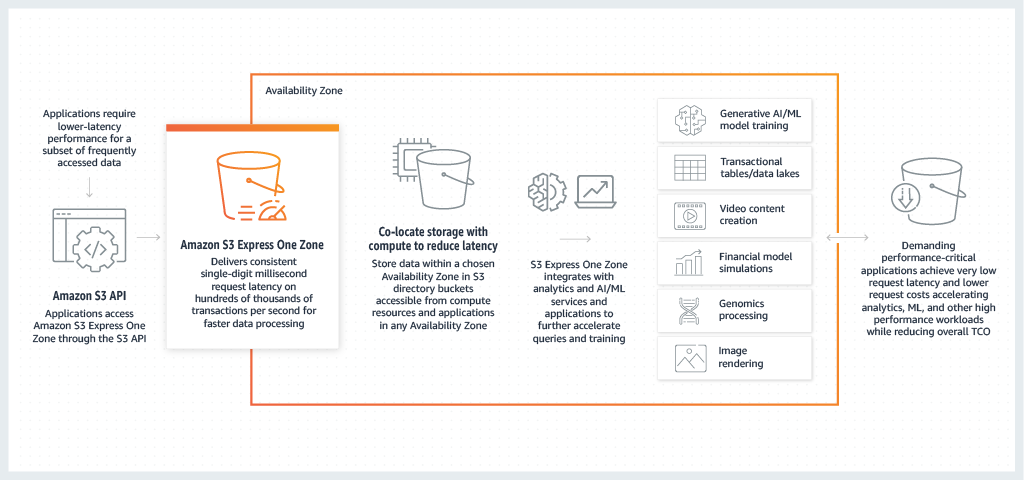
Best for: Infrequently accessed re-creatable data.
Examples
- Secondary backups
- Temporary processing data
- Data that can be regenerated
Features
- Stored in single AZ
- Cheaper than Standard-IA
- Retrieval charges
- Minimum storage duration: 30 days
5. S3 Glacier Instant Retrieval🔗
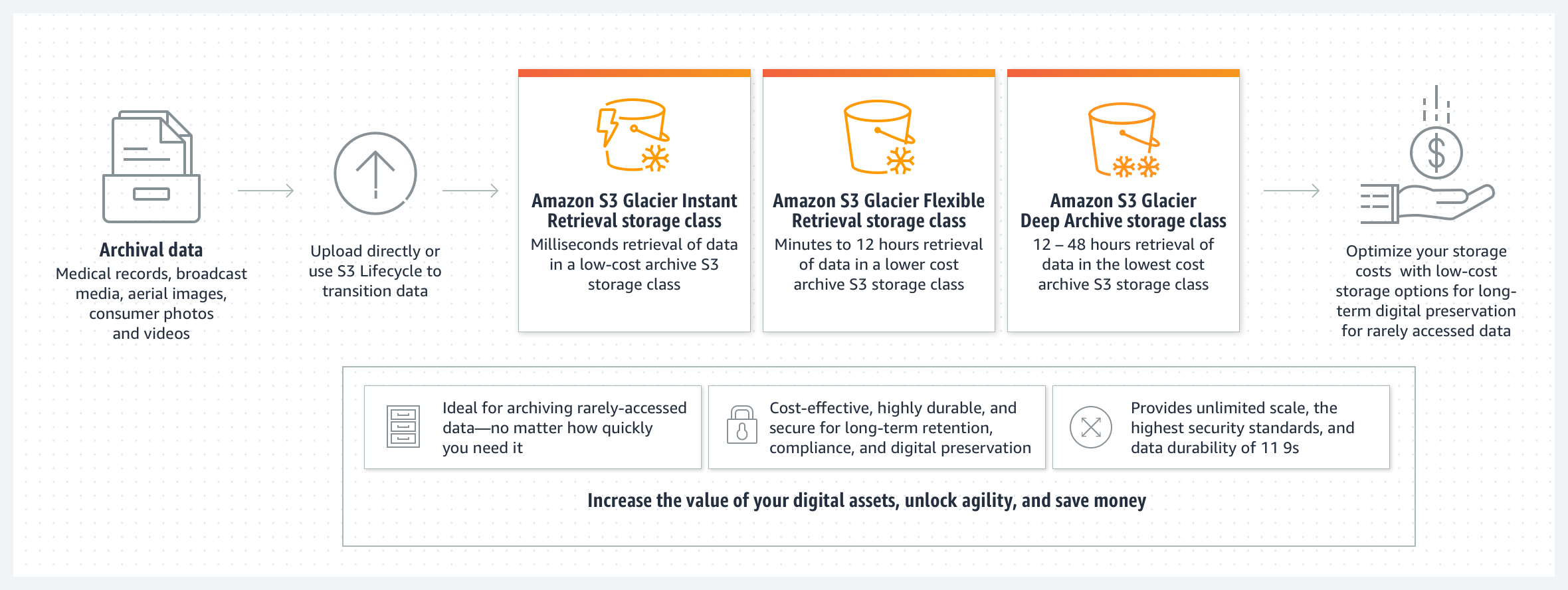

Best for: Rarely accessed data that still needs instant retrieval.
Examples
- Medical images
- Media archives
- Long-term analytics data
Features
- Very low storage cost
- Milliseconds retrieval
- Minimum storage: 90 days
6. S3 Glacier Flexible Retrieval🔗
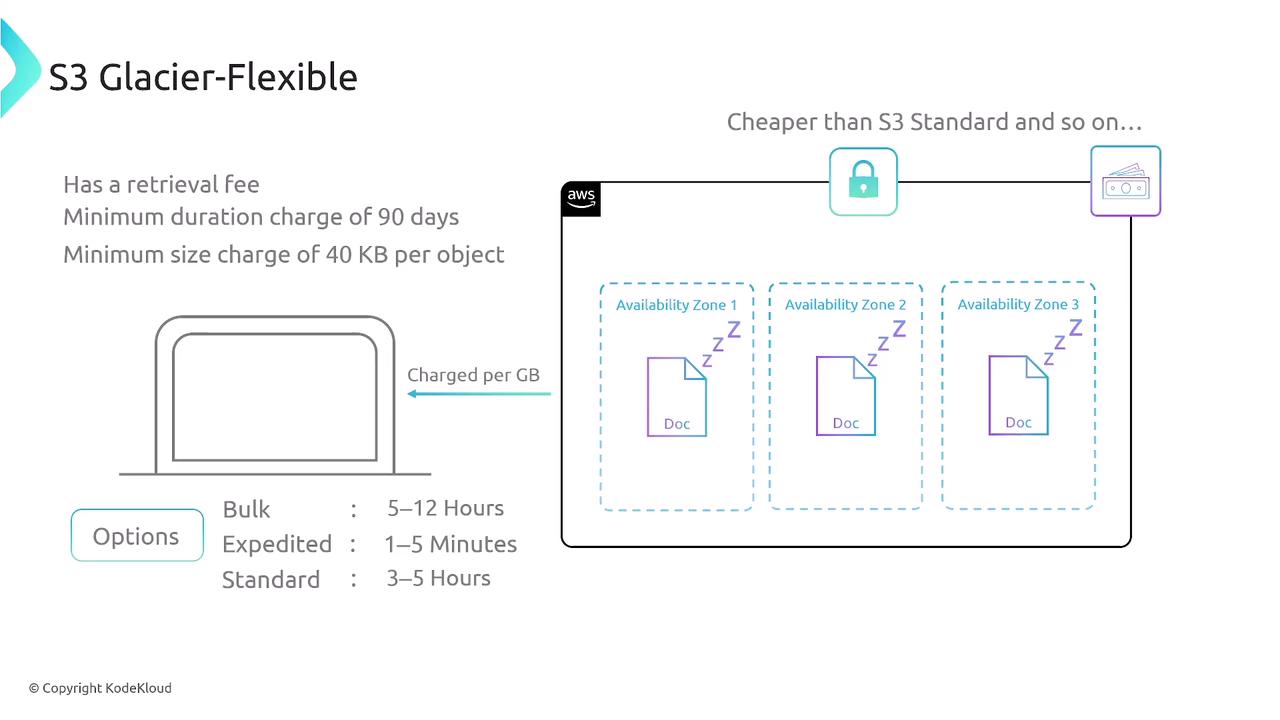
Best for: Archive data accessed occasionally.
Retrieval Options
- Expedited: 1–5 minutes
- Standard: 3–5 hours
- Bulk: 5–12 hours
Examples
- Backup archives
- Compliance data
7. S3 Glacier Deep Archive🔗
Best for: Long-term archival data rarely accessed.
Examples
- Financial records
- Regulatory archives
- Historical logs
Features
- Cheapest S3 storage class
- Retrieval time: 12–48 hours
- Minimum storage: 180 days
Quick Interview Summary
| Storage Class | Access Frequency | AZs | Retrieval Speed |
|---|---|---|---|
| S3 Standard | Frequent | Multi AZ | Milliseconds |
| S3 Intelligent Tiering | Unknown | Multi AZ | Milliseconds |
| S3 Standard-IA | Infrequent | Multi AZ | Milliseconds |
| S3 One Zone-IA | Infrequent | Single AZ | Milliseconds |
| Glacier Instant | Rare | Multi AZ | Milliseconds |
| Glacier Flexible | Rare | Multi AZ | Minutes–Hours |
| Deep Archive | Very Rare | Multi AZ | Hours |
Data Engineering Tip (relevant to your work):
For pipelines like Kinesis → Lambda → S3 → Athena:
- Hot streaming data → S3 Standard
- After 30–90 days → lifecycle rule → Standard-IA
- After 1 year → Glacier / Deep Archive
Using S3 Lifecycle Policies automatically moves objects between classes.
